Organized
Build complete tickets
Add menu items, quantities, modifiers, notes, order type, and customer context without losing the details the kitchen needs.
 Coorderby DomePath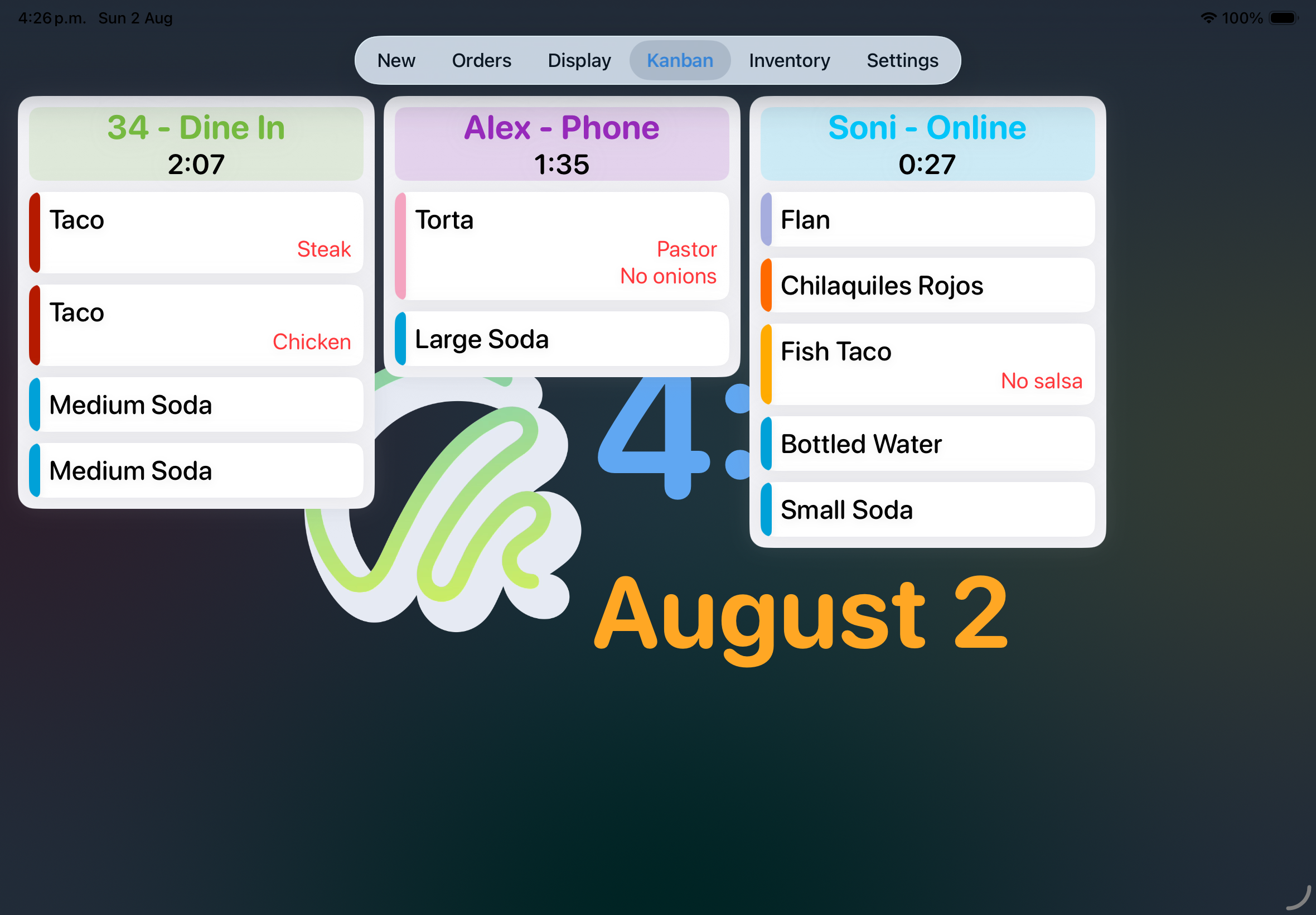
Build orders from your menu, route each ticket to the right work area, follow preparation on Kanban, and give the team a focused live display. Coorder keeps items, modifiers, notes, timers, inventory context, and status updates together from entry to handoff.
Tickets retain their items, modifiers, notes, order type, preparation state, and elapsed time while they move through the restaurant.
Add menu items, quantities, modifiers, notes, order type, and customer context without losing the details the kitchen needs.
Take each order from new to preparing, ready, and delivered while every station sees the same current status.
Give the kitchen or service team a clean view of active tickets, elapsed time, item progress, and the next handoff.
Configure work areas, order types, colors, statuses, and board organization around your floor and kitchen.
Keep categories, items, modifiers, inventory context, work areas, and order types organized in one system.
Optionally connect a merchant account so eligible Clover orders enter the same Coorder workflow without manual re-entry.
Coorder turns menu structure and restaurant settings into a live operational flow: tickets carry the right details into preparation, remain visible while work advances, and finish with a clear status for service.
Set up items, modifiers, order types, work areas, statuses, colors, and the inventory context your team uses.
Build the ticket once, preserve its notes and modifiers, and make the work visible to the correct preparation area.
Move tickets through Kanban, monitor elapsed time on Display, and keep service aligned through completion.
Coorder handles the restaurant workflow independently. When a Clover merchant is connected, eligible point-of-sale orders can enter that same workflow automatically while Clover remains the source for payments.
 CloverPoint of saleCoorderOrder workflow
Bring your restaurant workflow to Apple devices with Coorder—and connect Clover only when it adds value to your operation.